jira.atlassian.com — SPR-241how does jira actually workyoutube.com — react tutorial 3/7indeed.com — product rolesfigma.com — handoff v4github.com — PR reviewnotion.so — sprint planningjira.atlassian.com — SPR-241how does jira actually workyoutube.com — react tutorial 3/7indeed.com — product rolesfigma.com — handoff v4github.com — PR reviewnotion.so — sprint planning
mail.google.com (14)notion.so — meeting notesstackoverflow — cors errorcrm — pipeline Q3amazon.in — cart (3)slack.com — #designcalendar — 1:1 tomorrowmail.google.com (14)notion.so — meeting notesstackoverflow — cors errorcrm — pipeline Q3amazon.in — cart (3)slack.com — #designcalendar — 1:1 tomorrow
A tab-overload story

You didn't open
6 tabs on purpose.

It happened one “I'll read this later” at a time. TabStacker is the extension that stacks the pile back into folders — and keeps it there. Chrome, Edge, Brave, Arc, any Chromium browser.

Add to Chrome — freeWatch the 2-min demo
Scroll to open the story
01
Chapter 01 — The pile

It starts with one tab you didn't want to lose.

6
Tabs open
chrome://tabs — you have too many
3 duplicates
Jira · SPR-241
How does Jira work?
CRM pipeline
Workflow docs
React tutorial 3/7
Indeed — PM roles
Gmail (14)
Notion — notes
Slack — #design
Stack Overflow
Figma — handoff v4
Calendar — 1:1
Sheets — budget
YouTube — lo-fi mix
LinkedIn — recruiter
Zoom — standup
Medium — 12 min read
Amazon — cart (3)
Jira · SPR-241
CRM pipeline
Docs — Q3 plan
React tutorial 4/7
Gmail — draft
Docs — retro

Morning. Six tabs, all of them load-bearing. This is fine.

Lunch. Every question spawns three more tabs, and none of them get closed.

4pm. The titles are gone. You have the same page open three times and you can't tell.

02
Chapter 02 — The cost

Every open tab splits your attention.

Research shows a browser with 12 open tabs gives each task just 8% of your focus. The daily receipt below adds up.

Focus per task
100%
1 task · full attention12 tabs · a twelfth each
The daily receipt
Hours staring at a browser5–8h
Tabs you can still read12
Duplicates of the same page×3
Tabs you'll actually return to9
Total, paid in focusa whole day
03
Chapter 03 — The evidence

We stopped guessing and asked 48 people.

Maria ran three long interviews. Lisa turned the stories into a survey. What came back split the audience into two personas — and gave us the feature list.

Interview 02 · tech industry · 6–8h/day

“When switching between tabs, I found myself having three of the same tabs open at once. This was an indication for me that I overworked.”

She needs several related tabs at once — a CRM pipeline, two workflows — and loses her place between them.
Field notes
3
interviews
48
survey responses
2
personas
4
core features shipped
Survey · daily screen timen = 0
9–12 hours0%
5–8 hours0%
Feel only "somewhat productive"0%
Persona 01
Needs a tool, today
Persona 02
Will try one, if it earns it
Chapter 04 — The fix

Everyone we asked lived in the browser. So we built it into the browser.

TabStacker installs from the Chrome Web Store and runs on any Chromium browser. Sign in with Google, and the pile becomes stacks: folders, click analytics, tab timers and a hard limit you set yourself.

ChromeEdgeBraveArcOperaVivaldi
The two-minute version

Watch it stack.

Scroll to play
01 · See everything

Every open tab, on one readable screen

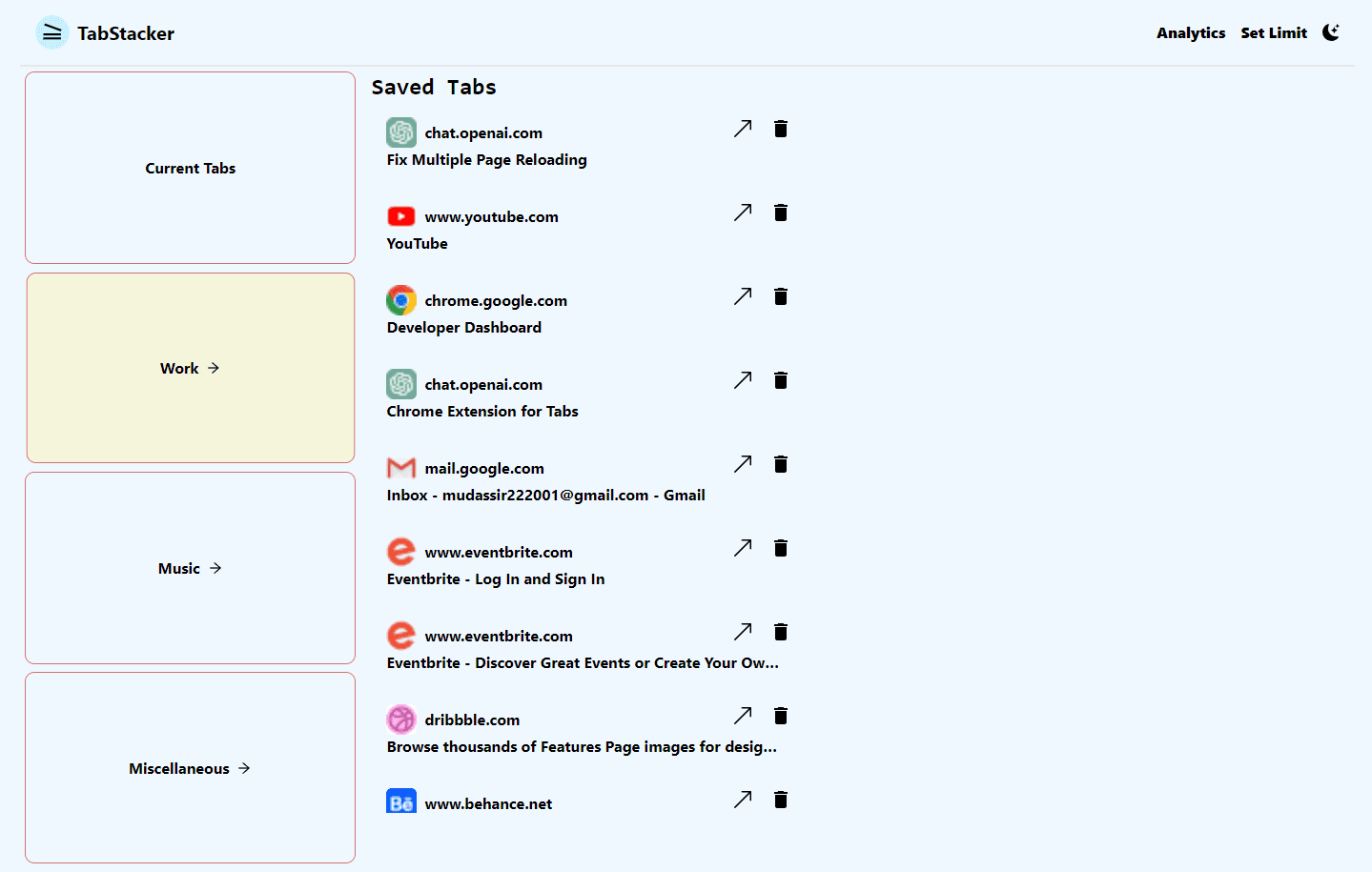
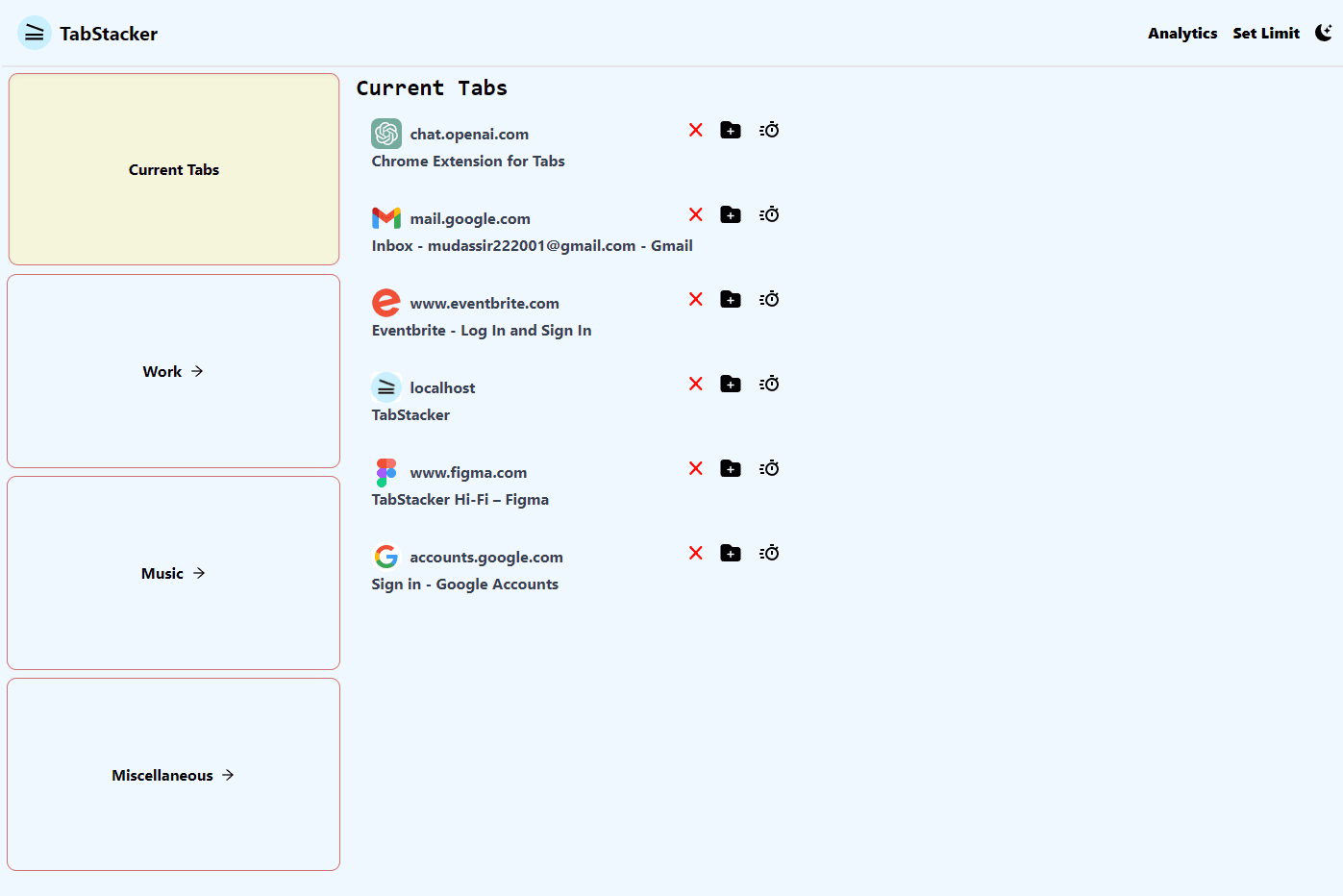
Favicons you can see, titles you can read, and a close button next to each one. Jump straight to a tab or kill the three duplicates you didn't know you had.

Favicon listOne-click jumpClose in place
Tab management
Save folders
02 · Stack it

Save tabs into folders you'll actually reopen

Work, Job hunt, Learning — group the related ones, close the window without fear, and restore the whole context in a click.
Analytics
03 · Know the truth

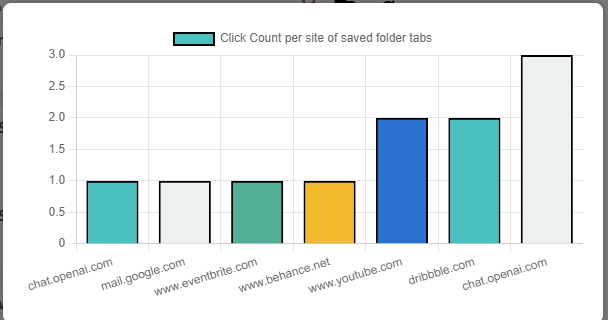
The tabs you keep going back to

TabStacker counts clicks inside your folders and charts your most-visited tabs across all of them. Evidence, not vibes.
Tab timer
04 · Set the boundary

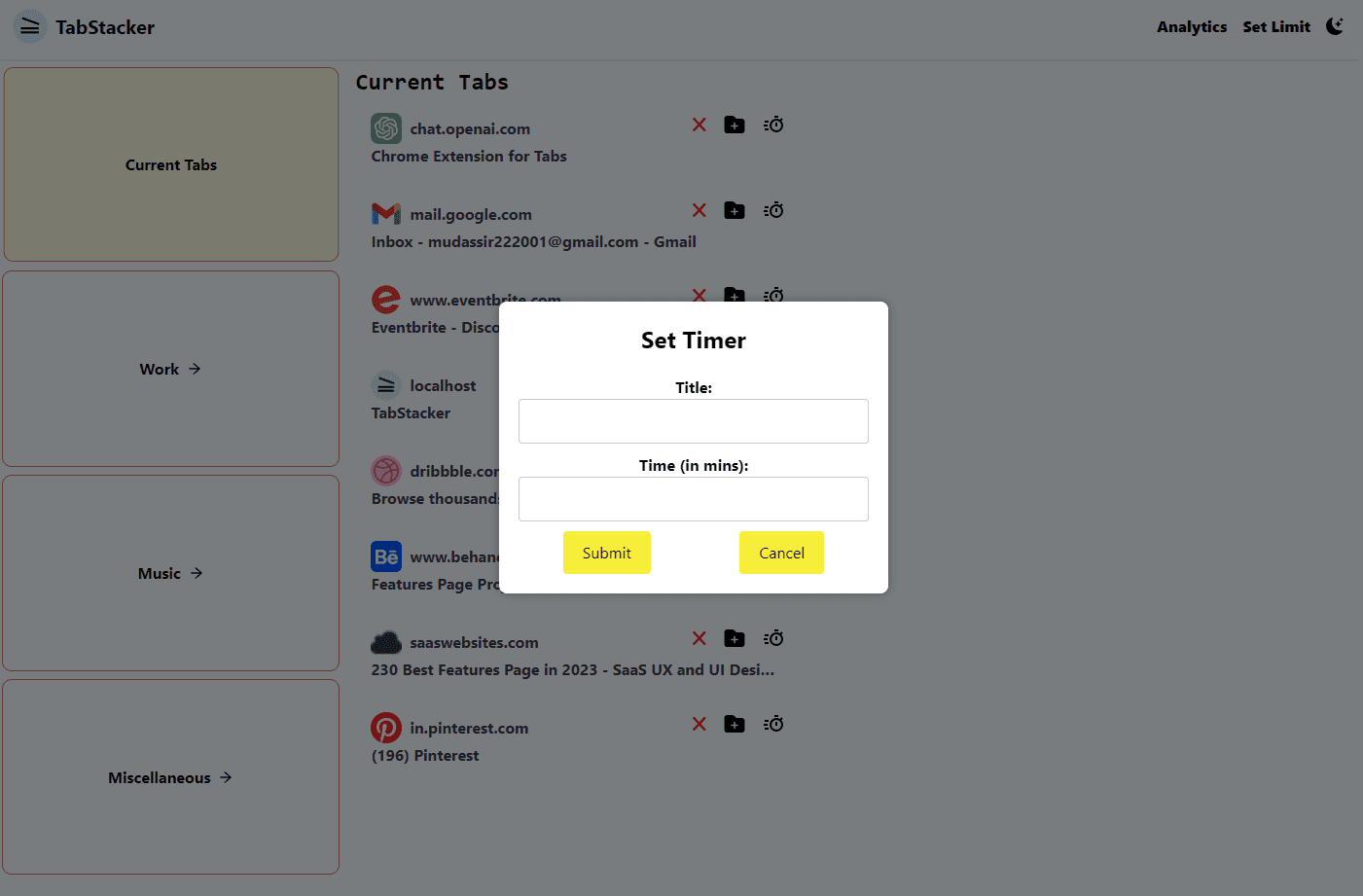
Time limits per tab. A hard cap on the total.

Give a distraction twenty minutes and TabStacker holds you to it. Set a maximum tab count and the next one waits until you close something.

Tab limit10 / 12
Two left before the wall.
05 · After dark

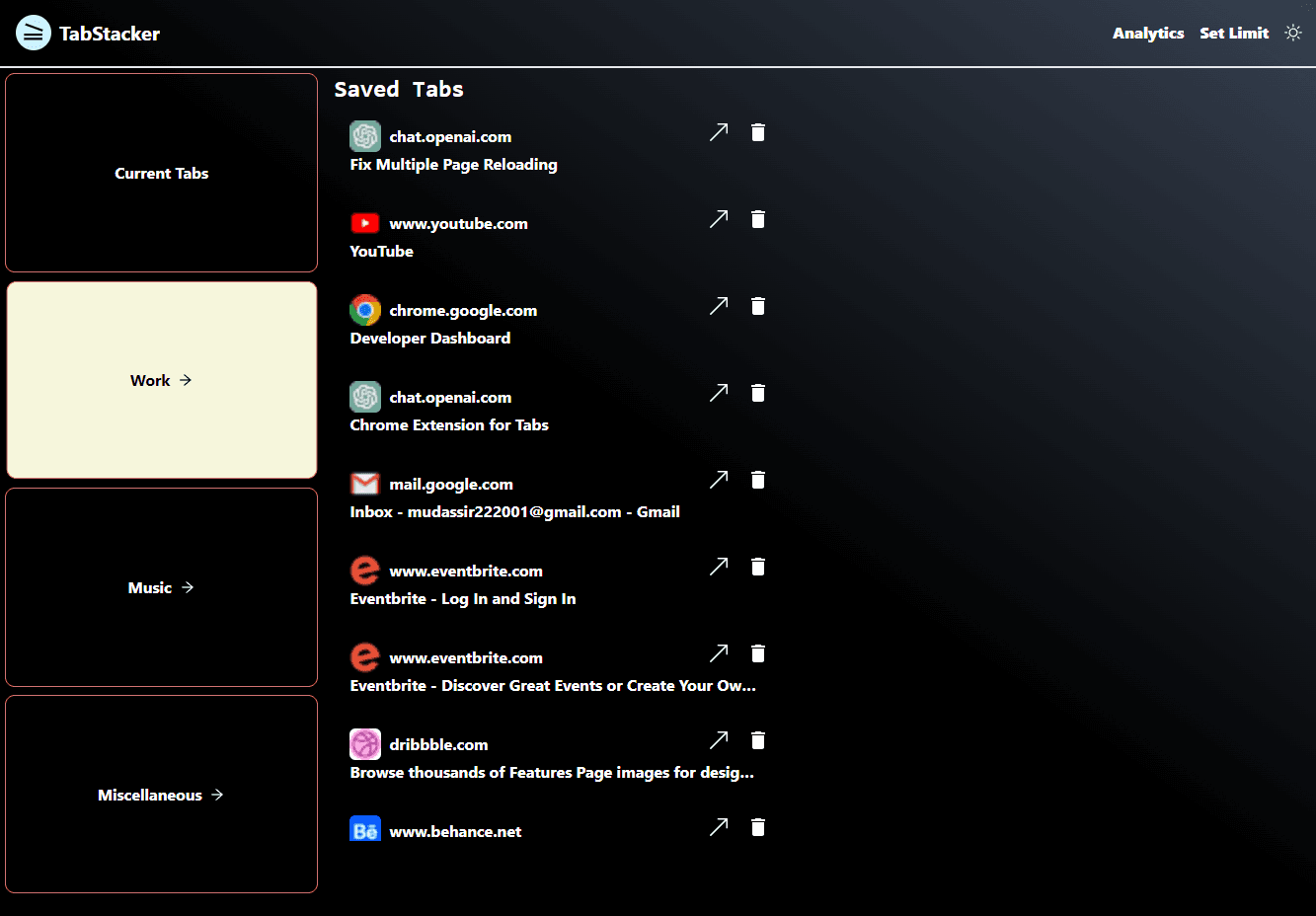
Dark mode, for hour nine

Every screen ships in dark. Same stacks, same limits, same analytics — just easier on eyes that have been open since 9am.

Dark mode
Chapter 05 — The calm

Six tabs open. Everything else, stacked.

Work
9 tabs · 2h 14m
Job hunt
6 tabs · 41m
Learning
4 tabs · 1h 02m
47
Before
6
After

Nothing was lost. It's all one click away — just not all on screen at once.

The crew

Four people, one very full tab strip.

Maria Dmitrieva
Product

Maria Dmitrieva

Lisa Weng
Design

Lisa Weng

Mudassir Khan
Engineering

Mudassir Khan

Manas Verma
Engineering

Manas Verma

Close 40 tabs. Keep every thought.

Free, works with your Google account, about a minute to set up.

Add to Chrome — freeWatch the demo